02. AI Launchpad
Letting teams launch their own AI pipelines
A launchpad where teams define their transcription pipeline (users, language and model) themselves, without waiting on engineering.
- Client
- AI Launchpad
- Role
- Lead Product Designer
- Sector
- AI experience · Enterprise
- Year
- 2025

Impact at a glance
01. Context
Every new AI transcription use case needed engineers to set it up by hand. Demand was growing faster than the team could deliver.
02. The problem
Choosing a model, language and access rights felt technical and risky, so business teams didn't attempt it themselves.
Business goal
Scale AI adoption across the organisation without scaling engineering effort.
Customer goal
“Set up the AI pipeline I need, with confidence, on my own.”
03. Insights
- 01
Users thought in outcomes ("summarise support calls"), not in models.
- 02
Model choice was the biggest source of hesitation. Cost, speed and quality were impossible to compare.
- 03
Admins needed to control who could use which pipeline before they would let teams work alone.
04. Strategy
Guide
A builder in clear steps: source, transcription, language, model, users.
Recommend
Smart defaults and model guidance in plain language on cost, speed and quality.
Govern
Access by role, so admins stay in control while teams move fast.
Chapter 01 · Resources
Start from what already exists
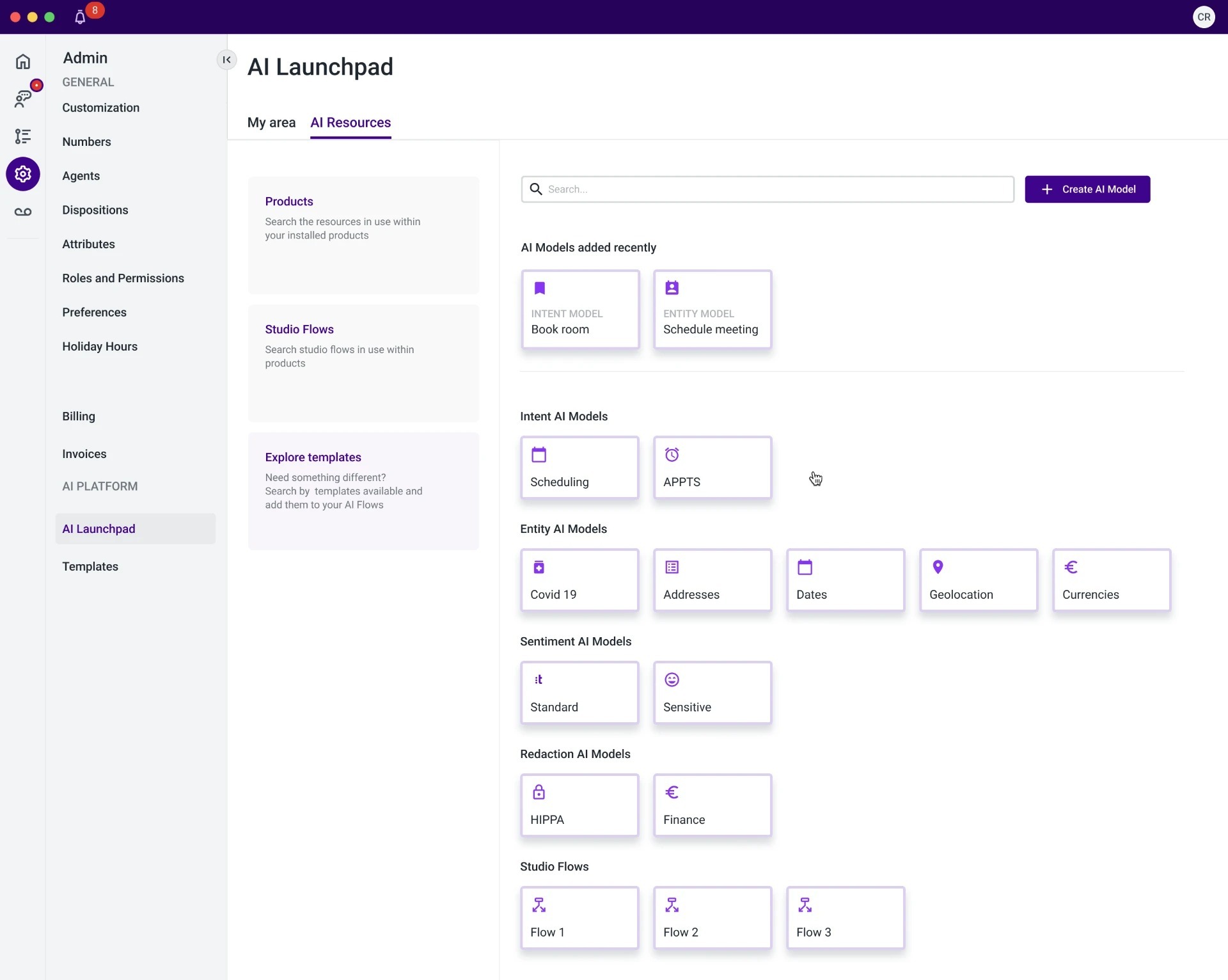
The launchpad opens on a catalogue, not a form. On one side, the products in use and the flows already built. On the other, the models grouped by the job they do: intent, entity, sentiment, redaction. A business team reads the catalogue in terms of what they need detected in a call, and never has to ask which model number fits.
- 01Models named after the job, so the choice is about the outcome, not the technology
- 02Existing flows and templates, so a team builds on what the company already proved
- 03A search box and a create action, so a gap in the catalogue is a starting point, not a blocker
Chapter 02 · Configuration
Choose the audience, the language, then the models
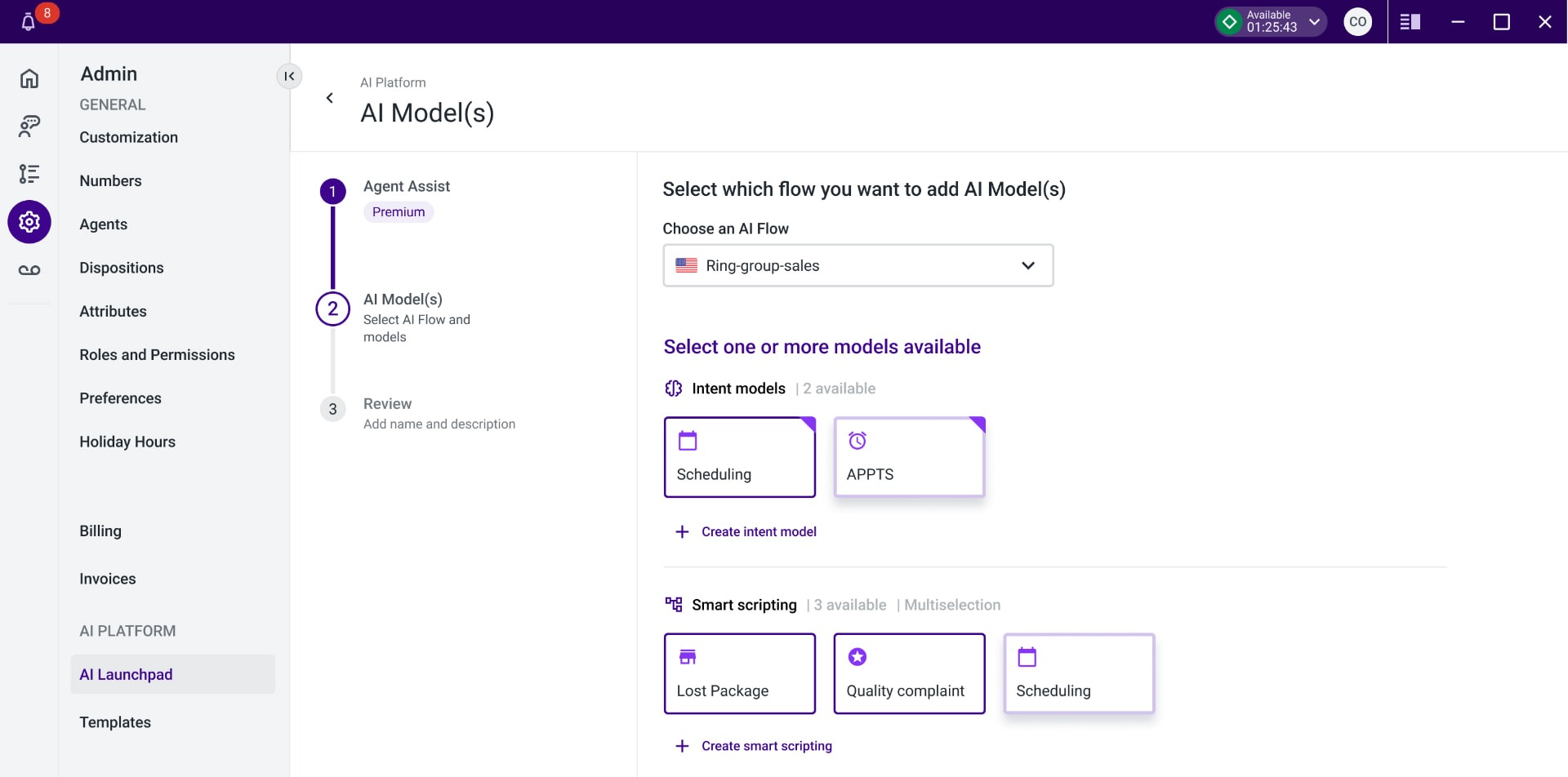
The builder asks one question at a time. Which flow this pipeline belongs to. Who it serves, agents or customers, and in which language. Then which models should read the customer support calls, offered only from the ones available for that flow. Every answer adds a block to the preview underneath, so the pipeline assembles itself while you decide and the consequence of each pick is visible before you commit.
- 01One decision per step, so nobody needs to understand the whole pipeline to begin
- 02Models filtered by flow, so an invalid combination simply cannot be built
- 03A preview that grows with each choice, which turns configuration into something you can read
Chapter 03 · Review
Read the pipeline back before you launch it
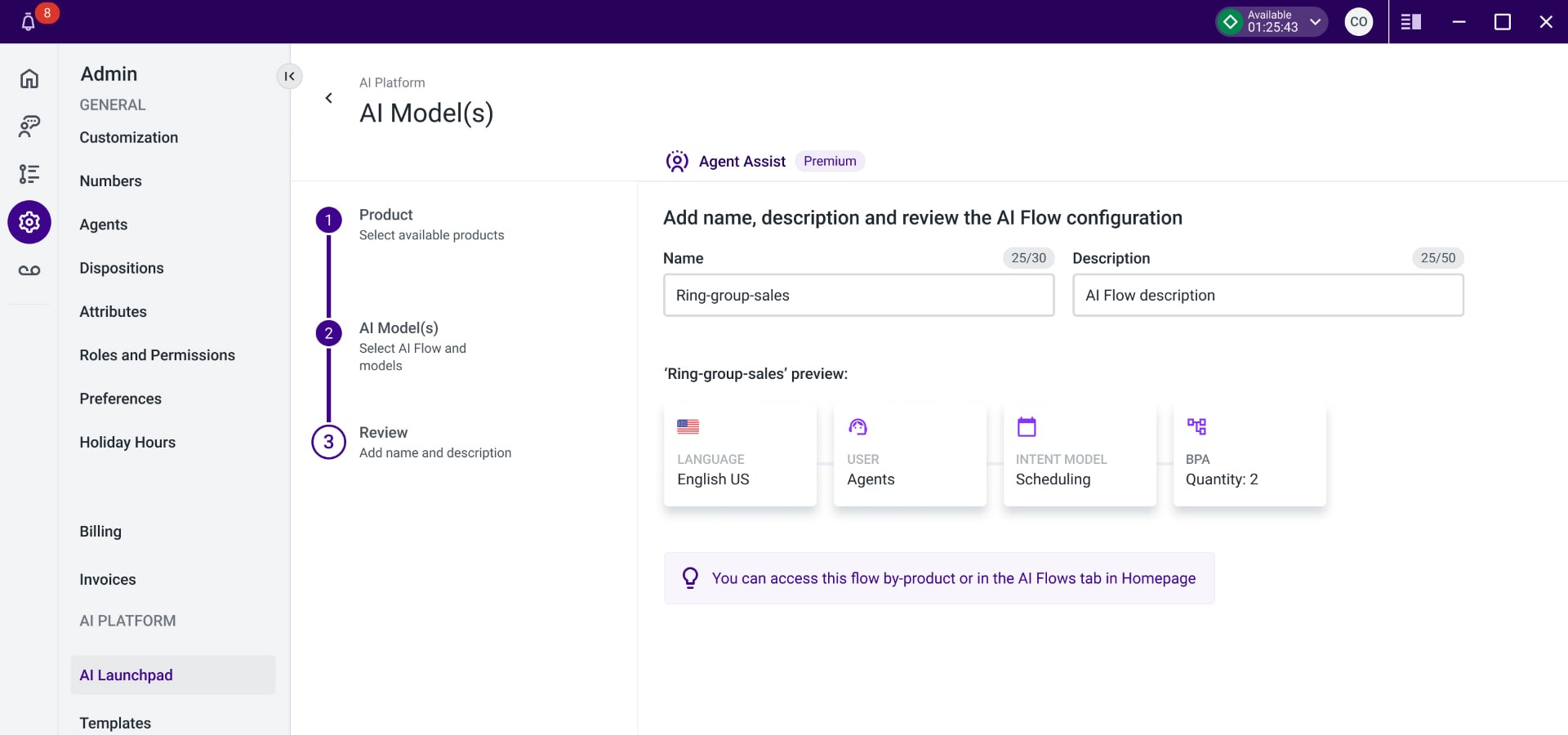
The last step asks for a name and a description, then shows the whole pipeline as a single line: the language, the audience, the intent model that categorises the call, and the models that detect the terms that matter inside it. Nothing sits hidden behind a settings page. If the line reads wrong, you go back a step. If it reads right, the flow is live and reachable from the product it belongs to.
- 01A name and a description, so the next person can find it and understand it
- 02The full chain in one view: language, audience, intent, and the models detecting terms
- 03An obvious way back, so editing stays normal and launching stays safe
05. Key decisions
A guided flow over a flexible canvas
Trade-offLess freedom for power users, much faster adoption for everyone else.
Recommend a model instead of listing them all
Trade-offMore responsibility on our guidance, far less decision fatigue.
06. Outcome
Business teams launch pipelines themselves, and engineering focuses on new capabilities instead of setup.
What I learned
“AI adoption is a UX problem first: people use what they understand and trust.”
Next case
Giving supervisors control over generative AI